Summary Reports from EIS Website
This section refers only to retrieving your site’s own data from the website. These are on-demand reports that you run yourself. Another section in this chapter explains where to go on SharePoint to find reports created by FPG that include summary scores and other sites’ data for comparison.
LEPs can pull various reports from the main data entry website, as soon as data are entered. These reports show only your own site’s data.
– annual data collection progress
– classroom child summary
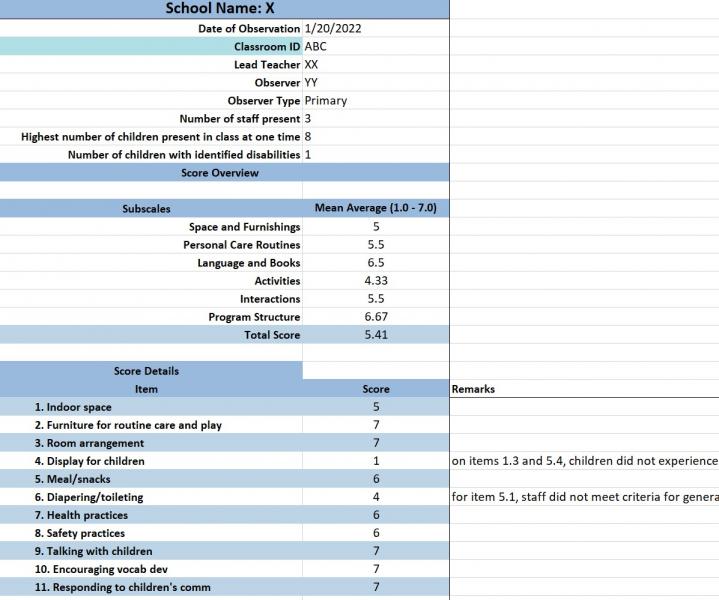
– classroom observation detail report (see sample image below)
and more. These reports are a convenient way to see some of your data without having to use the raw datasets. LEPs can use the data collection progress report to assess the team’s progress and plan next steps. LEPs can use the other reports to quickly share some basic information with school partners.
Go to EIS website: https://survey.fpg.unc.edu/educareis/ and log in with your UNC ONYEN
Click Reports Tab
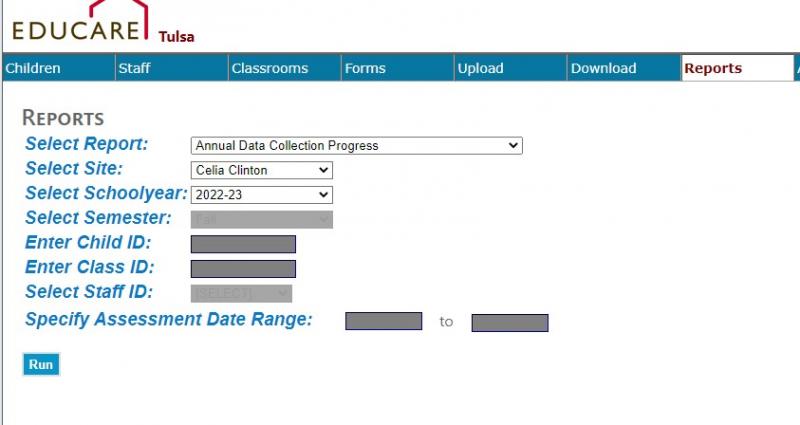
Sample: