
Retrieving Data from EIS Website
This section refers only to retrieving your site’s own data from the website. These are on-demand spreadsheets that you run yourself. Another section in this chapter explains where to go on SharePoint to find datasets created by FPG that include summary scores and other sites’ data for comparison.
Your data are available to you as soon as you enter them. To pull out the data you have entered into the main data entry website for the Educare National Evaluation:
Go to https://survey.fpg.unc.edu/educareis/ and log in with your UNC ONYEN
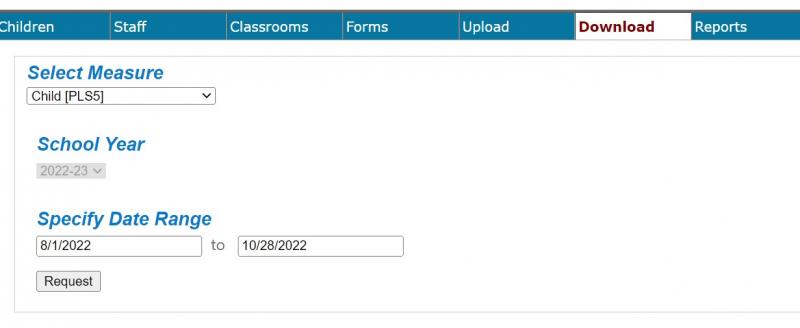
Go to the Download tab
On the SelectMeasure menu, select the desired measure.
Select the date range you want, then click request.
To understand the variable names, go to the SharePoint site: https://adminliveunc.sharepoint.com/sites/fpg/workspaces/educare/SitePages/Home.aspx
Documents | EducareIS Website Dictionaries