Retrieving Data
Parent Interview data are accessible in various ways.
SharePoint
Summary reports prepared by FPG are shared on sharepoint annually.
They can be found using the following file path: Educare Library Sync > SiteName > YearRange > YearRange Final Reports OR YearRange Preliminary Reports
So, for example, Atlanta’s 2018-19 Parent Interview Report is located as follows: Educare Library Sync > Atlanta > 2018-2019 > 2018-19 Preliminary Reports
Datasets are also shared or can be requested from FPG.
They can be found using the following file path: Educare Library Sync > SiteName > YearRange > Parent Interview YYYY-MM-DD Snapshot
For example, Atlanta’s 2018-19 Parent Interview data can be found at: Educare Library Sync > Atlanta > 2018-19 > Parent Interview 2019-08-27 Snapshot
Raw Data & Codebooks via Survey site
For immediate access to the interviews your site entered, go to: https://survey.fpg.unc.edu/educare
Log in using your UNC ONYEN and password.
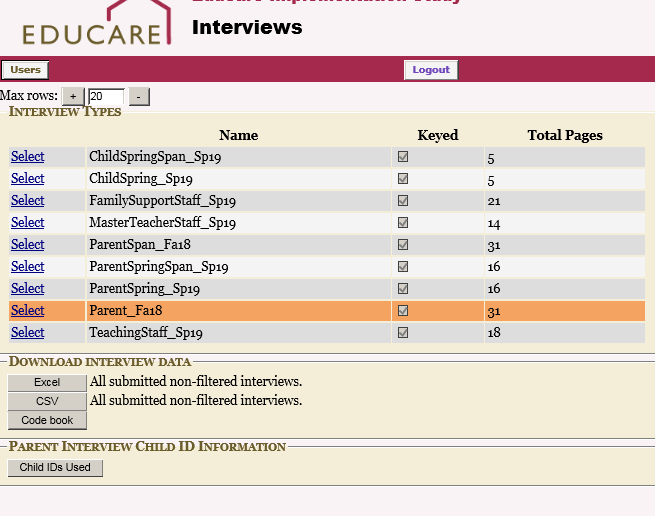
Logging in with your ONYEN brings you to a screen that provides a list of the different parent and staff instruments. Clicking on the row for the parent interview or survey enables an option to download an excel sheet showing the data entered for your site, and a codebook: