
Classroom Characteristics Tab
In 2020, a new tab for Classroom Characteristics was added to the Classrooms section of the main EIS website. This tab can be completed multiple times per semester and new entries do not overwrite the previous entries (all entries are saved in the database). This tab must be completed at least once per semester. It lets us know how many children are enrollment, how many are permitted in the class, whether the class if fully staffed, and information about languages used. Completing it more than once per semester allows LEPs to capture changes in staffing and enrollment.
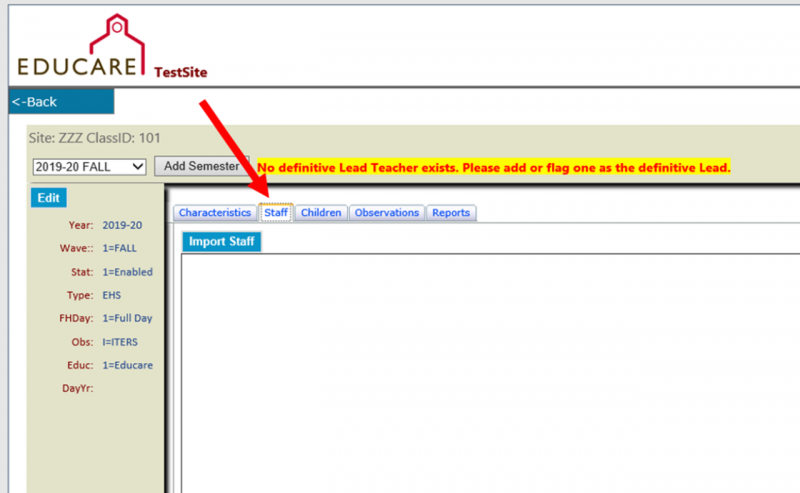
You will see this new tab when you click the Classrooms tab along the top, and then click Edit beside a classroom to go to its semester properties.
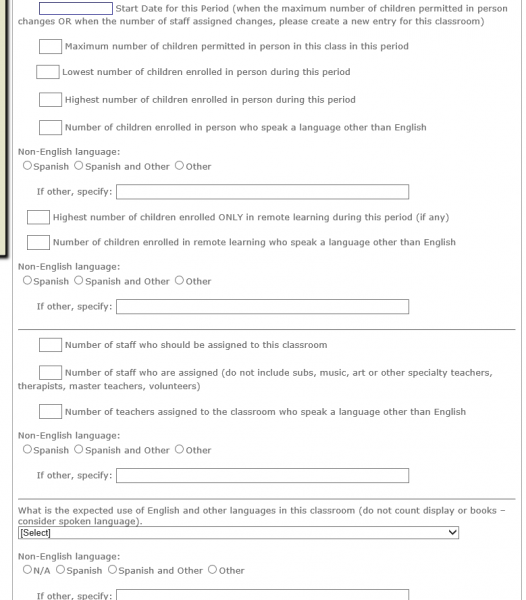
All the fields in the Classroom Characteristics tab are shown below. When filling it out, the Lowest Enrolled In Person, and the Remote section are optional.
Once you add number of students and teachers in a class in a semester, and classroom language info, using this tab, that info will appear in a grid as seen below. But remember, if that info changes during a semester, and you want to add new info, you can fill out this tab again in the same semester. If you do that, and only a couple things have changed, you may want to make use of the Copy feature in the grid – which will copy all the info from a previously entered entry into the fields in the form, so you do not have to re-type them all.
So the way this works, you will hit Copy, perhaps modify the values in a few fields, then when you hit Save, it will create a new, separate entry for that classroom for that semester.

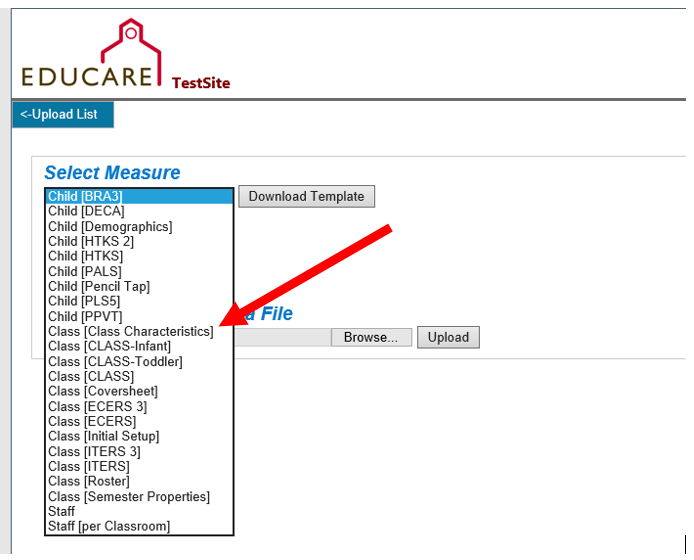
This info, once entered, will be available via download in the web site. And, you can upload this info rather than fill it out by hand using that new tab. So for example, if you are doing the upload, choose Class [Class Characteristics] in the drop down list.
And, VERY IMPORTANT, when doing the upload, be sure to choose the correct semester before doing the upload for Class Characteristics.
There is a sample upload excel file and codebook included in section A of the Team Resources page of this website.