
Adding Children
Go to https://survey.fpg.unc.edu/educareis/
Log in using your ONYEN and password.
There are two ways to add children – manually by adding individual children or via batch upload.
Manual
Go to the Children tab and click on Add Case
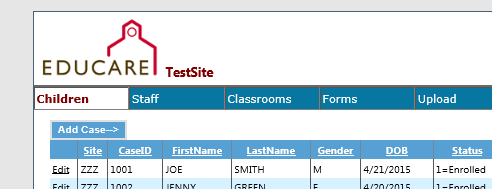
Required fields include a unique ID, gender, date of birth, race, ethnicity and home language.
Some programs enter children’s names into our system, some do not.
You will enter the date the child began at Educare and also the date the family consented to participate in the study.
Enrolled status and disability should be updated on an ongoing basis.
Educare status allows programs who serve both “educare” and “non-educare” children to use our system to process data on both types of students.
As of Summer 2024, the race variable has been updated in alignment with our surveys and the US Census to allow LEPs to select all races and ethnicities that apply to an individual, including Hispanic/Latino and MENA. For the multiracial variable, select one race or ethnicity that best describes the individual. Please reach out to Keil Jones with any questions.
Upload
To add many children at once, instead of choosing the Children tab choose the Upload tab:
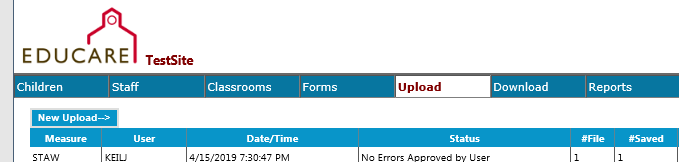
Click on the New Upload button. From the New Upload page, you will select Child [Demographics] from the Select Measure dropdown. You are able to download a Child Demographics template (and a number of other templates) and then upload the template once it is completed.
Go to the Documents section of FPG’s SharePoint site to find a data dictionary of the variables to use in uploads (codes for gender, etc.). The data dictionaries are in the Educareis Website Dictionaries folder.
If it is helpful for you to sort the list on the Children page, you can click the heading (such as Case ID, DOB, or Status) and it will sort in ascending or descending order.